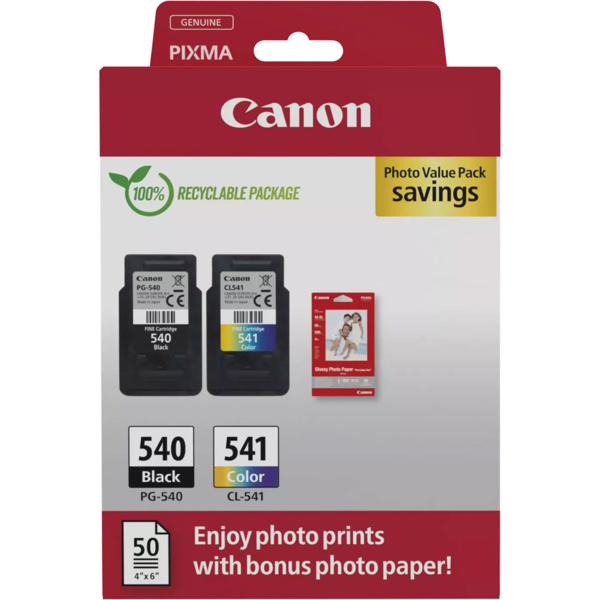
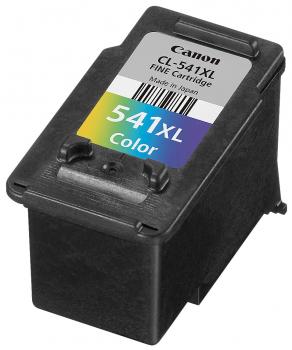
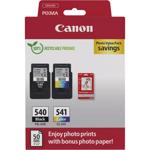
Black and colour in one set – One black and one colour cartridge with cyan, magenta and yellow in a single pack
Original ink – Matched to the corresponding printers for reliable, consistent print quality
Around 180 pages per cartridge – 8 ml of ink each for letters, documents, school materials and colour prints
Pin‑sharp text – The black ink ensures clear text on documents and forms
Easy replacement – Insert the cartridge, click it into place and you can start printing again
Clean text and vibrant colour prints so your printer is always ready to use
Everything ready for your next printoutThis Canon ink cartridge multipack contains one black and one colour original ink cartridge so you are equipped for both text and colour at the same time. The black cartridge prints clear, easy-to-read text on letters, invoices, forms and applications. The colour cartridge combines cyan, magenta and yellow in one housing and brings graphics, tables, presentations and photos vividly onto paper. With 8 ml of ink each, every cartridge yields around 180 pages. This gets you comfortably through everyday tasks in your home office, homework and school projects or club work without having to buy new ink all the time. The multipack includes the Canon cartridges PG-540 and CL-541 and fits numerous Canon Pixma printers in the MG, MX and TS series.
Original quality for consistent results The original Canon ink cartridges are tailored to the corresponding printers and deliver reliable, even results from the first to the last page. Text remains sharp, colours strong and natural. Whether it’s a birthday flyer for a party, the recipe for your Sunday loaf or photos from your last outing – everything comes out of the printer just the way you saw it on screen.
Quick to replace Replacing the cartridges is very easy: open the printer cover, remove the empty cartridge, insert the new one and click it into place. Your printer is ready to go again. With the Canon PG-540 / CL-541 multipack you have both cartridges to hand at once and can replace both colours in one go or keep one as a spare. Please check the list of compatible printers before purchasing to make sure your model is included.