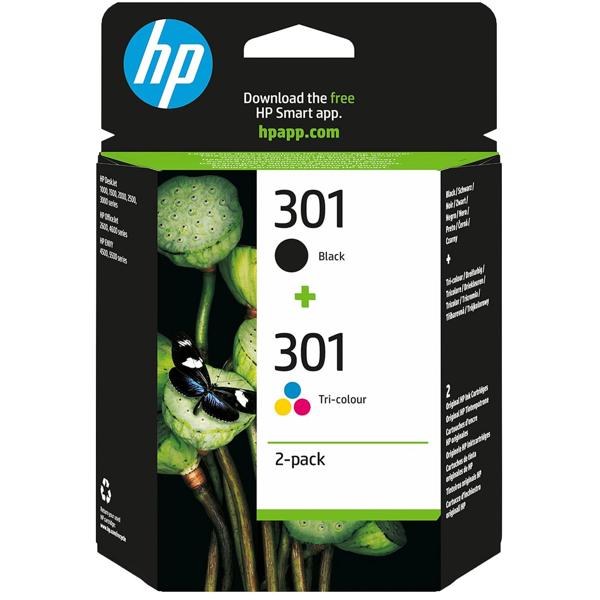
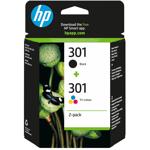
Black and colour in one set – One black and one tri-colour cartridge with cyan, magenta and yellow in a single pack
Original HP 301 ink – Matched to compatible HP printers for reliable, consistent results
Made for everyday printing – Approx. 170 pages in black and approx. 150 pages in colour for documents and day-to-day prints
Wide compatibility – Suitable for numerous HP DeskJet, Envy and OfficeJet printers
Easy replacement – Insert the cartridge, let it click into place and your printer is ready to go again straight away
Crisp text and vivid colours so your printer is always ready for the next job
Black and colour in one set: With the HP 301 multipack you have both cartridges for your printer at hand in one go. The black cartridge delivers sharp, easy-to-read text on letters, invoices, forms and applications. The tri-colour cartridge with cyan, magenta and yellow puts graphics, tables, presentations and photos vividly on paper. With around 170 pages in black and around 150 pages in colour, you are well equipped for everyday use in your home office, for school documents or for club correspondence. The N9J72AE multipack fits a wide range of HP DeskJet, Envy and OfficeJet printers.
Original quality, page after page: Original HP 301 ink cartridges are matched to the compatible printers and deliver reliable results from the first page to the last. Text remains crisp, colours look natural and even. Whether it’s an invitation to a barbecue, a craft template for the kids or a favourite photo for the fridge – everything comes out of the printer just the way you imagined it.
Quick to replace and ready to print: Replacing the cartridges takes only a few simple steps: open the printer cover, remove the empty cartridge, insert the new cartridge and click it into place. With the multipack, you can replace both cartridges at the same time or keep one as a spare in your drawer. Please check the list of compatible printers before purchasing to make sure your model is included.