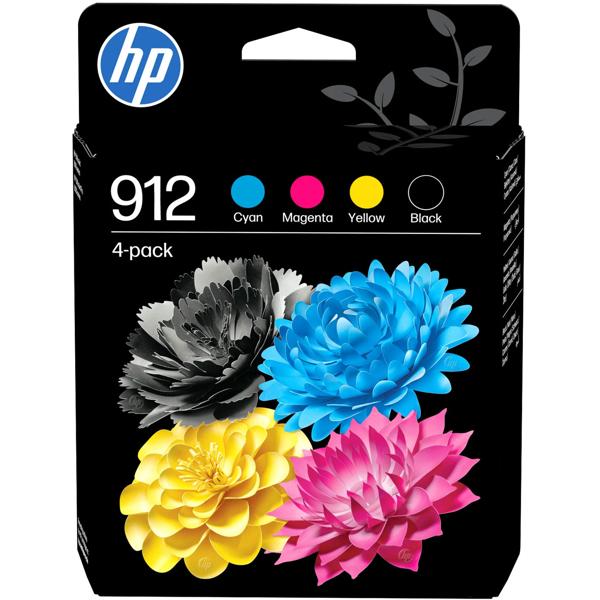
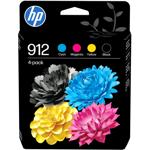
4 individual cartridges in one set – Black, Cyan, Magenta and Yellow as separate cartridges in a single pack
Only replace what’s empty – Each colour is changed individually, the remaining cartridges stay in the printer
Ideal for everyday office use – Approx. 300 pages per cartridge, with 8.3 ml black and 2.9 ml colour ink each
Original HP 912 ink – Matched to compatible HP printers for crisp text and vibrant colours
Fits OfficeJet Pro – Compatible with many HP OfficeJet Pro 8010 and 8020 printers as well as OfficeJet 8010
Four colours on hand so your office day keeps running without print downtime
Four colours for every task: The HP 912 multipack 6ZC74AE contains four individual original ink cartridges in Black, Cyan, Magenta and Yellow. This keeps your HP OfficeJet Pro perfectly equipped for everything that comes up in your home office or small office: quotations, invoices, delivery notes, minutes, but also colour presentations, charts and marketing flyers. Because each colour has its own cartridge, you only replace the one that is actually empty. This way you use up the ink completely and avoid unnecessary replacements. With around 300 pages per cartridge, you stay productive even in busy weeks.
Print results that convince: As original cartridges, HP 912 inks are precisely matched to the printers of the OfficeJet Pro 8010 and 8020 series. Texts appear with sharp outlines, tables remain easy to read and logos show their colours just the way you know them. That moment when the freshly printed presentation is still warm from the printer and you can head into your customer meeting relaxed starts with ink you can rely on.
Easy to replace: Open the printer cover, remove the empty cartridge, insert the new one and click it into place – and you’re ready to continue. The cartridges you don’t need right now can simply be stored in a drawer as a backup. Before buying, take a quick look at the list below so you can quickly see whether your printer model is included.