














IDEOON.CH uses cookies and similar technologies to improve the user experience on our website, analyse our traffic and personalize content and advertising. You can find more information in our privacy policy.
Link has been copied to the clipboard!
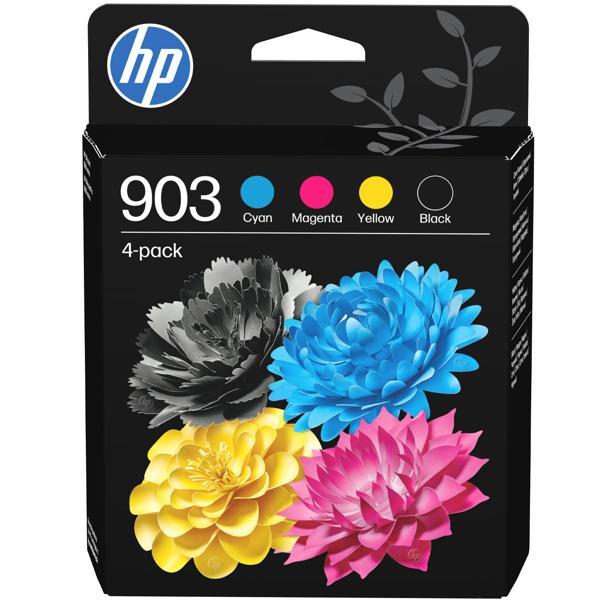
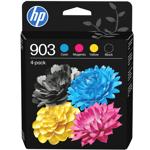
Complete colour set – One cartridge each in black, cyan, magenta and yellow, ready to print straight away
Replace colours individually – Only swap the empty cartridge, the other colours just keep printing
Generous ink volume – 12.4 ml black and 4.5 ml each of cyan, magenta and yellow for plenty of print jobs
Original HP 903 ink – Matched to compatible HP printers for crisp text and rich, accurate colours
For OfficeJet and OfficeJet Pro – Suitable for HP OfficeJet 6950 and OfficeJet Pro 6860, 6960 and 6970 series
Well equipped for home office and office: The HP 903 multipack 6ZC73AE contains four separate original ink cartridges: black with 12.4 ml as well as cyan, magenta and yellow with 4.5 ml each. This allows your HP OfficeJet or OfficeJet Pro to handle everyday printing reliably – from work contracts and tax documents through to the family’s weekly schedule. Colour prints such as graphics, club flyers, school projects or labels for the cellar also succeed with ease. Because each colour has its own cartridge, you only replace the colour that is currently empty and get the maximum out of every cartridge.
Precision on every page: HP 903 ink is tuned to the printers of the OfficeJet 6950 and OfficeJet Pro 6860, 6960 and 6970 series. Black text appears razor‑sharp on the page, colour areas look even and vibrant. Whether it’s a business plan for your own project or a colourful poster for the local street party, holding a professional-looking result in your hands makes every idea that bit more tangible.
Ready to print again in seconds: To replace a cartridge, open the printer cover, remove the empty cartridge and insert the new one until it clicks into place. Store the remaining cartridges from the set within easy reach so you have a replacement ready as soon as the next colour runs out. The list below helps you find your printer model quickly.
{{.}}
{{/content}}{{{.}}}
{{/content}}